
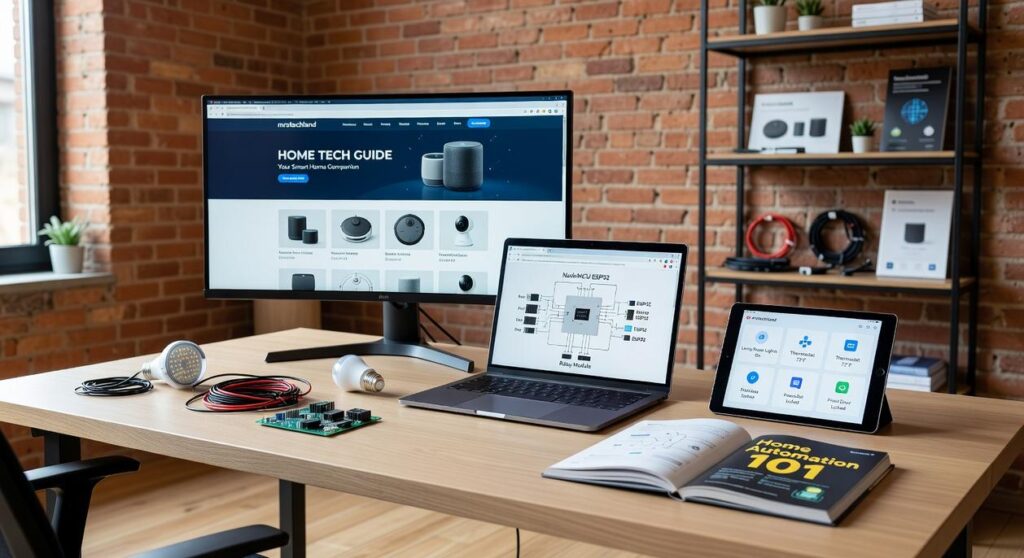
I’ve been testing smart home devices in my Oakland place for years now and I can tell you this: most people make it way harder than it needs to be.
You’re probably here because you want your home to work better but don’t know where to start. Maybe you bought a smart speaker and now it just sits there doing nothing useful.
Here’s the thing: smart home tech isn’t about buying every gadget you see. It’s about picking the right pieces that actually solve problems in your life.
I created this home tech guide mrstechland after watching too many people waste money on devices they never use. I test this stuff daily. I know what works and what’s just marketing hype.
This article walks you through exactly how to build a smart home that makes sense. No tech jargon. No overwhelming lists of specifications you don’t care about.
You’ll learn which devices to start with, how to avoid expensive mistakes, and how to set things up so they actually improve your day instead of creating new headaches.
By the end, you’ll have a clear plan. Not some fantasy setup that costs thousands. A real roadmap for making your home smarter without the confusion or the regret.
The Foundation: Choosing Your Smart Home Ecosystem
You walk into your friend’s house and say “turn on the lights” and it just works.
Then you try the same thing at home and nothing happens.
Here’s why. You’re probably using different ecosystems.
An ecosystem is basically the brain of your smart home. It’s what lets your lights talk to your thermostat and your doorbell talk to your speakers. Think of it like choosing between Android or iPhone, but for your entire house.
Right now three big players run the show.
Amazon Alexa works with almost everything. I mean everything. If you’re just starting out, this is probably your safest bet because you won’t run into compatibility issues as often.
Google Home is smarter when you ask it questions. It understands context better than Alexa (most of the time). But it’s a bit pickier about which devices it plays nice with.
Apple HomeKit is the privacy pick. If you already use an iPhone and you care about keeping your data locked down, this makes sense. The downside? Fewer devices support it and they usually cost more.
Some people say you should go all in on one ecosystem from day one. They argue that mixing systems creates headaches.
But that’s changing fast.
There’s this new standard called Matter. It launched in 2022 and it’s basically a universal translator for smart home devices. A Matter certified device works with Alexa, Google, and Apple without you having to pick sides.
Does it solve everything? Not yet. But it means you’re less likely to buy something that becomes useless if you switch ecosystems later.
Here’s my take on choosing.
If you use iPhone and care about privacy, start with Apple HomeKit. Yes, you’ll pay more upfront. But the home tech guide mrstechland approach values security and if that’s you, the premium is worth it.
If you want options and don’t want to worry about compatibility, go with Amazon Alexa. You can find devices at every price point and most things just work.
If you ask your voice assistant actual questions (not just commands), Google Home might be your pick. It’s better at understanding what you mean versus what you literally said.
One quick tip. Before you buy anything, check if it has the Matter logo. It gives you flexibility down the road.
And if you’re curious about system requirements for other tech (like what are the system requirements for apex legends mrstechland), the same principle applies. Know what you need before you buy.
Start with one ecosystem. Get a smart speaker and maybe a couple of lights. See how it feels in your actual routine before you drop serious money on door locks and cameras.
First Upgrades: Smart Lighting and Climate Control
Let me be honest with you.
When I started with smart home tech, I thought lighting was just about turning bulbs on and off from my phone. Pretty pointless, right?
I was wrong.
But I also don’t want to oversell this. Smart lighting isn’t going to change your life. It’s just going to make certain things easier.
You’ve got three ways to start:
Smart bulbs are the simplest option. Screw them in and you’re done. No rewiring needed.
Smart switches replace your existing switches. They work with any bulb and look cleaner (you won’t have that awkward moment when someone flips the switch and kills your smart bulb).
Smart plugs turn any lamp into a smart lamp. They’re cheap and you can move them around.
Which one is best? Honestly, I’m not sure there’s a clear winner. It depends on whether you rent or own and how much you want to spend.
What I do know is that scheduling saves money. I set my lights to turn off at midnight because I used to fall asleep with half the house lit up. My electric bill dropped about 15%.
The security thing is real too. When I’m gone, my lights turn on and off like someone’s home. Does it actually deter burglars? Hard to say for certain, but it makes me feel better.
Now for thermostats.
Smart thermostats learn when you’re home and adjust automatically. Mine figured out my schedule in about two weeks. The Department of Energy says you can save up to 10% a year on heating and cooling just by turning your thermostat back 7-10 degrees for 8 hours a day.
Look for these features:
- Geofencing that knows when you leave
- Energy reports so you see what you’re spending
- Remote sensor compatibility for multi-room balance
I use the home tech guide mrstechland approach. Start small, see what works, then expand.
One thing I’m still figuring out? Whether the energy savings actually pay for the upfront cost. The math works on paper, but your mileage will vary based on your local energy rates and how much you’re home.
Peace of Mind: Essential Smart Security
I still remember the first time I saw someone unlock their front door with their phone.
It was like watching a scene from Minority Report. Except instead of Tom Cruise, it was my neighbor in sweatpants carrying groceries.
Now? That’s just Tuesday.
Here’s what most people don’t realize about smart security. You don’t need a fortress. You just need to know what’s happening at your home when you’re not there.
Some folks argue that traditional locks and basic alarm systems are good enough. They say smart security is overkill for the average person. That all these connected devices are just another way for tech companies to grab your money.
Fair point. I’ve seen plenty of people waste cash on gear they never use.
But here’s what that argument misses.
A video doorbell isn’t about being paranoid. It’s about seeing who took your package (or didn’t). A smart lock means you can let your dog walker in without hiding keys under fake rocks. Door sensors tell you if your kid got home from school.
That’s not overkill. That’s just practical.
Video doorbells and outdoor cameras are where most people start. You want 1080p minimum because anything less looks like footage from a 90s gas station. Night vision matters more than you’d think. And that field of view? Go wide or you’ll just capture half of whoever’s at your door.
The real kicker is cloud storage. Most companies charge monthly fees to save your footage. Check those costs before you buy.
Smart locks changed how I think about keys entirely. I can give my sister a code that works for the weekend. The door locks itself when I forget (which is often). No more panic about whether I locked up.
Door and window sensors are the cheapest upgrade that actually works. They ping your phone when something opens. Better yet, you can set them to turn on lights automatically. Makes it look like someone’s home even when you’re not.
The home tech guide mrstechland approach is simple. Start small. Add what makes sense for your actual life.
Not what looks cool in a movie.
Seamless Entertainment: Smart Audio and Video
You know what nobody talks about?
How annoying it is when your kitchen speaker is playing a different song than your living room. Or when you have to grab three different remotes just to watch Netflix.
I spent months testing different setups in my own place. And here’s what most guides won’t tell you.
The whole “smart home entertainment” thing isn’t about buying the fanciest gear. It’s about making what you already own work together without driving you crazy.
Some tech reviewers say you need to stick with ONE ecosystem. Apple only or Google only. They claim mixing brands creates problems you can’t fix.
But that’s not true anymore.
I run Amazon Echos in two rooms and a Google Nest in my kitchen. They all play the same Spotify playlist at the same time (when I want them to). The trick is using the Spotify app itself to group them, not relying on Alexa or Google to do it.
Here’s what actually works.
For whole home audio, open your music app and look for the “Available Devices” option. Most streaming services let you select multiple speakers at once. You can sync them or play different tracks in each room. No special hub needed.
Want different music in different zones? Create speaker groups in your smart speaker app. I call mine “Downstairs” and “Bedroom.” Takes about 30 seconds to set up.
Now for TV control.
If you’ve got a Fire TV Stick or Chromecast, voice control is already built in. Just say “Alexa, play Stranger Things on Fire TV” or “Hey Google, pause.” Works with most streaming apps right out of the box.
The REAL game changer? Routines.
I set up one called “Movie Time.” When I say those two words, my Philips Hue lights dim to 20%, my TV turns on, and my thermostat drops two degrees (because I run hot when I’m sitting still).
Creating this took me maybe five minutes in the Alexa app. Go to Routines, tap the plus sign, pick your trigger phrase, then add actions. You can control any device connected to your home tech mrstechland setup.
Most people stop at lights and music. But you can add your TV, soundbar, even your ceiling fan if it’s smart enabled.
The part other guides skip? Testing your routine at different times of day. My “Movie Time” routine works great at night but was WAY too dark at 3pm on a Saturday. So I made two versions.
One more thing.
If your TV supports HDMI CEC (most do), you don’t even need a smart TV. Your regular TV will respond to commands sent through your streaming stick. Check your TV settings and turn on “HDMI Control” or “Anynet+” if you have a Samsung.
That’s it. No complicated wiring. No expensive upgrades.
Just your existing gear working the way it should have from the start.
Building Your Smart Home, One Step at a Time
You now have what you need to choose and install smart home technology without second guessing yourself.
I know the confusion that hits when you first look at all these devices. It feels overwhelming. But you can get past that with a clear plan.
Here’s what works: Start with one ecosystem and build from there. Add devices that fix real problems in your life. Maybe you want more convenience. Maybe you need better security. Maybe you’re tired of high energy bills.
The system you build should fit your needs, not someone else’s.
Pick one device to start with. A video doorbell or smart thermostat makes the biggest immediate difference. You’ll see the benefits right away.
That first device is your proof of concept. Once you see how it works, adding more becomes easy.
The home tech guide mrstechland approach is simple: solve one problem at a time. Your smart home doesn’t need to happen overnight.
Start today with that single device. Experience what it does for you. Then decide what comes next.
